An append-only governance ledger for AI-assisted development: see what was decided, who reviewed it, and what still stands.
Core governance available · Web multi-project access and licensing in development
The starting point
Too many records, no single answer
Decisions, changes and review notes pile up in long documents until nobody can say which conclusion is still current.
Many AI agents, no clear trail
When several coding assistants work in parallel, it's hard to reconstruct who changed what, why, and whether anyone checked it.
More projects, less visibility
Opening each project one by one is slow, and blockers or conflicting decisions slip through.
Core features
The governance ledger
Append-only event ledgerDecisions, changes and analyses are recorded as events; history is never rewritten—revisions supersede, they don't overwrite.Available
Lifecycle state machineEvents move from Draft to Logged, Implemented, In Review, then Approved or Changes Requested; invalid transitions are blocked.Available
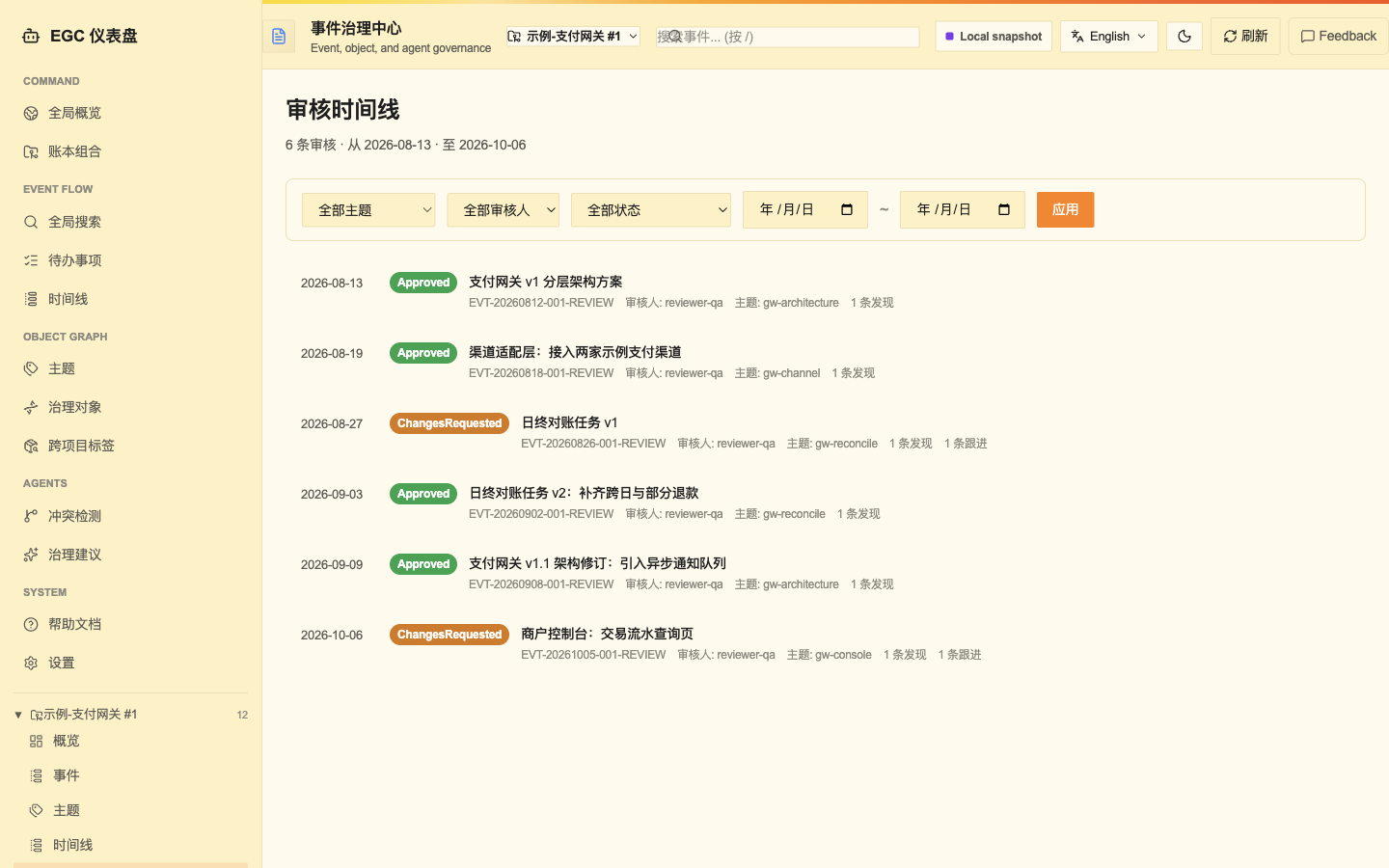
Independent reviewsReviews are separate records, authors can't approve their own work, and every comment and follow-up stays traceable.Available
Current conclusionsFor each topic, see the conclusion that applies today—and the event it came from.Available
Automatic open itemsPending and missing reviews, requested changes, blockers, follow-ups and conflicts surface on their own.Available
Consistency checksValidates states, references and conflicts, reported as errors, warnings and notices.Available
Search and insight
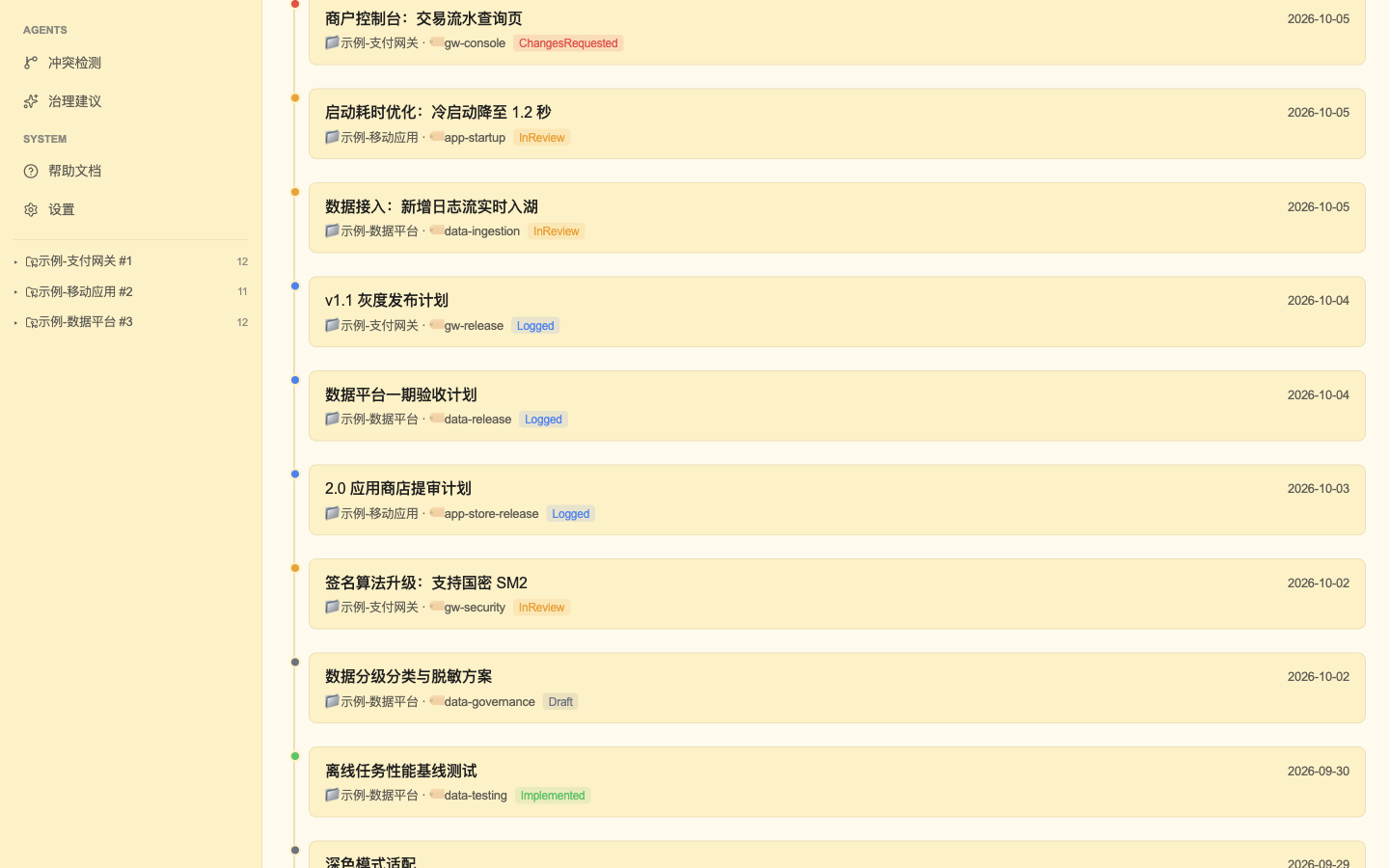
Search, timeline and topicsFind and browse events by keyword, date, topic or author.Available
Milestone progressTracks completion against the milestones you define and shows where you are now.Available
Functional DNA (core)Extracts functional fingerprints from code so you can query them and compare variants.AvailableMedium+
Semantic searchFinds events by meaning, not just matching words, in Chinese and English.Preview
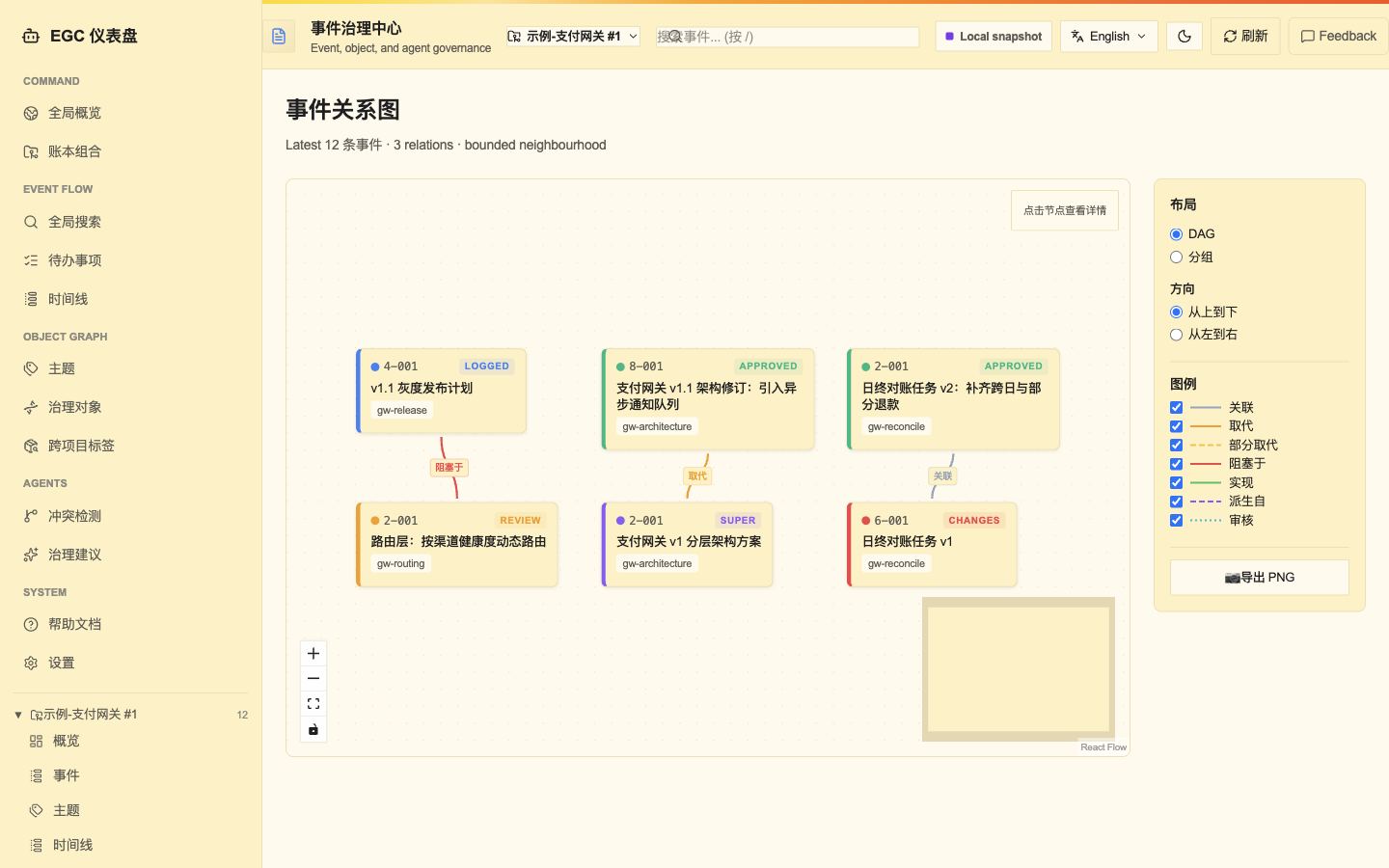
Relationship graph and impactShows how events reference, supersede and block each other, including knock-on effects.Preview
Governance suggestionsProposes fixes based on ledger health as reviewable drafts, with dry runs and rollback.PreviewMedium+
Access and multi-project
AI assistant access via MCPCoding assistants query and log events over the standard MCP protocol; every write is authenticated and audited.Available
Command-line toolEvery capability is scriptable, with stable JSON output that drops into your pipelines.Available
Web workspaceReview events, reviews, open items, timelines, milestones and risks in the browser, with a guided event wizard—no command line needed.Available
Multi-project hub (for developers)Pulls several project ledgers into one local hub for cross-project search, topics and conflicts; rebuildable anytime and never writes back.Available
Web multi-project workspaceSwitch between projects on one page, each with its own events, reviews and open items, fully isolated.In development
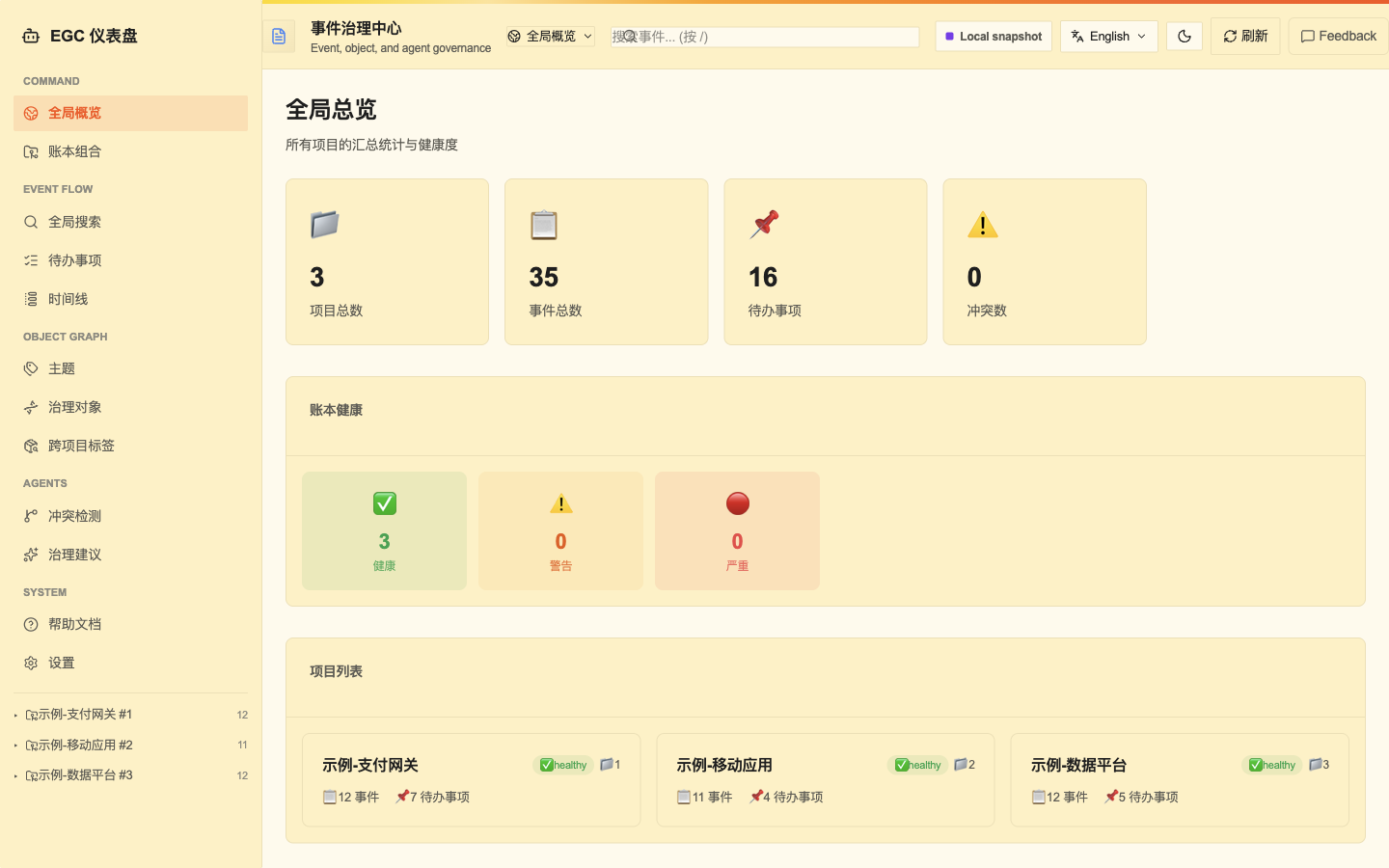
Web portfolio dashboardOne view of risks, open items and review progress across all projects.In development
Security, release and licensing
Tamper detectionRecords are chained by hash, so any alteration is detected.Available
Backup and restoreOne-step snapshots with checksums, verifiable and restorable; an older backup can't overwrite a newer ledger by default.Available
Local-first securityThe web app listens only on your machine by default; remote access requires explicit admin authentication, and misconfiguration stops startup.Available
Release readiness and reportsBefore release, lists unclosed reviews and blockers and exports governance reports as CSV or Markdown.PreviewMedium+
Encrypted ledgersOptionally encrypt project ledgers, with keys kept apart from data.Preview
Plan licensing and activationPer-machine licensing: activate your plan locally after purchase, with a limited offline grace period.In development
What sets it apart
Append-only facts, traceable answers
Nothing is edited or deleted; new events supersede old ones, every current conclusion points to its source, and a hash chain exposes tampering.
Doing and reviewing stay separate
Reviews are their own records, no one approves their own work, and anything awaiting review or changes lands on the open-items list automatically.
One ledger, three ways in
The command line for developers and automation, MCP for AI coding assistants, and a web workspace for business, audit and management teams.
Use cases
Multi-agent development
Who: Engineering leads running several AI coding assistants at once. Situation: Assistants change code in parallel, and afterwards no one can say who did what, why, or whether it was checked. How: Assistants connect via MCP, log an event before starting, mark it Implemented when done, and a different identity reviews it. Outcome: Every change carries a record, a rationale and an independent verdict; anything unreviewed, sent back or blocked shows up as an open item.
Multi-project oversight
Who: Project owners and engineering directors responsible for several projects. Situation: Each project has its own ledger; opening them one by one is slow and risks are hard to compare. How: Register each ledger with the multi-project hub to search topics, open items and conflicting decisions in one place (available through developer tools today; the web dashboard is in development). Outcome: One place to see the whole portfolio and spot stalled projects and contradictory decisions fast.
Pre-release audit
Who: Quality and release managers, internal and external auditors. Situation: Before a release or handover, you must confirm every key change was reviewed—and be able to prove it. How: Check unclosed reviews, blockers and conflicts, verify ledger integrity, and export a governance report (report export is in preview). Outcome: Audit material traceable to every source event, with any tampering detected.
Architecture
Every entry point writes through one authenticated path and rule checks into the ledger; the hash chain and indexes feed derived views back to each entry point, and ledgers sync read-only into the multi-project hub.
From logging to independent review. Preview features may change before general release; dates for in-development features will be announced separately. EGC provides traceable audit evidence; it does not constitute any compliance certification.
Check status
Before starting, check validation results, open items, recent events and milestone progress.
Log a draft
Log a draft event for the change.
Work and record
Append progress as you go, then mark it Implemented.
Independent review
A reviewer other than the author approves or requests changes; requested changes are fixed and resubmitted.
Update conclusions
Once approved, current conclusions and milestone progress update automatically.
Supersede
When a new decision arrives, a new event supersedes the old one and the full history stays intact.
How EGC works with execution tools
Arrows show only the provenance of registrations, review records and derived views; they do not mean that EGC executes work or grants approval automatically.
Executors (chosen by you)
AI coding assistants (via MCP)
Scripts / automation pipelines (via CLI)
People (via the Web workspace)Available
EGC: records and reviews
Append-only ledger
Independent review records (reviewer ≠ author)
Current conclusions / open items / mainline progress
Back to your chosen executors
Evidence for deciding whether the next step may proceed
What EGC does
Records every change, decision and review as append-only, traceable events, deriving views of “what applies now, what remains to be done, and who reviewed it”.
What EGC does not do
EGC does not execute code for you, schedule AI tasks, or replace people in making the final confirmation. Your chosen tools or team decide who does the work; EGC records what happened clearly and keeps reviews independent.
How to work together
AI coding assistants connect via MCP, scripts via the command line, and people view and review through the Web workspace (the multi-project workspace is in preview); all three entry points write to the same ledger and follow the same rules.
When you need execution control
If your team needs execution controls such as “only one executor at a time” or “human confirmation required at key steps”, you can use EGC alongside Lanruan’s EGC Supervisor (see its product page for the status and public description of EGC Supervisor).
Separation of reviewer and author; traceable review conclusions
Automatically approving its own changes
Views
Current conclusions, open items, mainline progress and multi-project summaries
Real-time push (currently retrieved by refreshing)
Execution
Recording execution results
Scheduling, running or assigning execution tasks
EGC handles records and reviews; execution is carried out by the tools or team you choose.
Editions and pricing
Free
Up to 3 projects, 200 events per project
Free
Purchasing not yet available
Small
Up to 10 projects, 1,000 events per project
US$19.9/year overseas; ¥119/year in mainland China
Purchasing not yet available
Medium
Unlimited projects, 10,000 events per project; includes all advanced features
US$59.9/year overseas; ¥359/year in mainland China
Purchasing not yet available
Enterprise
Unlimited projects and events; team collaboration and support tailored on request
Contact us
Purchasing not yet available
One license activates one machine, and every project on that machine shares the same edition; event quotas are counted per project. Advanced features (Functional DNA, governance automation, intelligent recommendations and bulk remediation, AI model and agent management, release and delivery gates) are available from Medium upward. Annual billing only. Purchasing is not yet available; prices are subject to the final checkout page.
Interfaces and demonstrations
Concept illustration · Not a product interface
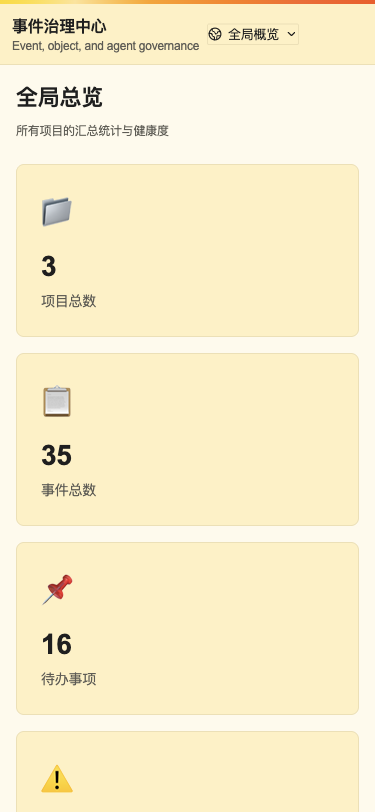
The following interfaces are product previews (not released). All projects and data shown are fictional demonstrations and do not represent product outcomes.